.svg)



Learn what is ransomware, how ransomware works, types of ransomware attacks, ransomware protection tips, and how to prevent ransomware in your business.

June 16, 2026
.avif)
.avif)
.avif)
Ransomware is a type of malware that can disrupt your business, lock your files, and demand payment to restore access. As cyber threats continue to evolve, understanding what ransomware is and how it can infect your systems is crucial for any organization. In this guide, you’ll learn how ransomware works, the most common ransomware variants, and practical ransomware protection tips. We’ll also cover how to prevent ransomware, detect attacks, and what to do if your business is targeted. Topics like mobile ransomware, ransomware detection, and the impact of ransomware incidents on businesses will also be discussed.
Ransomware is a form of malware that cyber criminals use to block access to your data until you pay the ransom. It usually spreads through phishing emails, malicious attachments, or infected websites. Once inside your network, ransomware encrypts files, making them unusable until a payment is made.
Businesses of all sizes can experience a ransomware infection. Attackers often target organizations because they are more likely to pay the ransom to restore critical operations. The first ransomware attacks date back decades, but new ransomware threats appear every year, making defense against ransomware a top priority.

Ransomware attacks come in many forms, and understanding their tactics is key to staying safe. Here are some of the most common strategies that put organizations at risk:
Many ransomware attacks begin with a phishing email. If employees aren’t trained to spot suspicious messages, attackers can easily infect your network. Email security tools and regular training help reduce this risk.
Attackers often exploit weak passwords or shared accounts to gain access. Using strong, unique passwords and limiting user permissions can stop ransomware from spreading.
Outdated software is a common entry point for ransomware. Attackers look for unpatched systems to deploy ransomware payloads. Regular updates and patch management are essential.
Without reliable backups, you may have no choice but to pay the ransom if your files are encrypted. Automated, off-site backups help you recover from ransomware without giving in to demands.
Mobile devices can also be targets. If your team uses smartphones or tablets for work, make sure mobile ransomware protection is in place.
A slow response can make a ransomware infection worse. Have a clear plan so you can act quickly if you detect ransomware on your network.
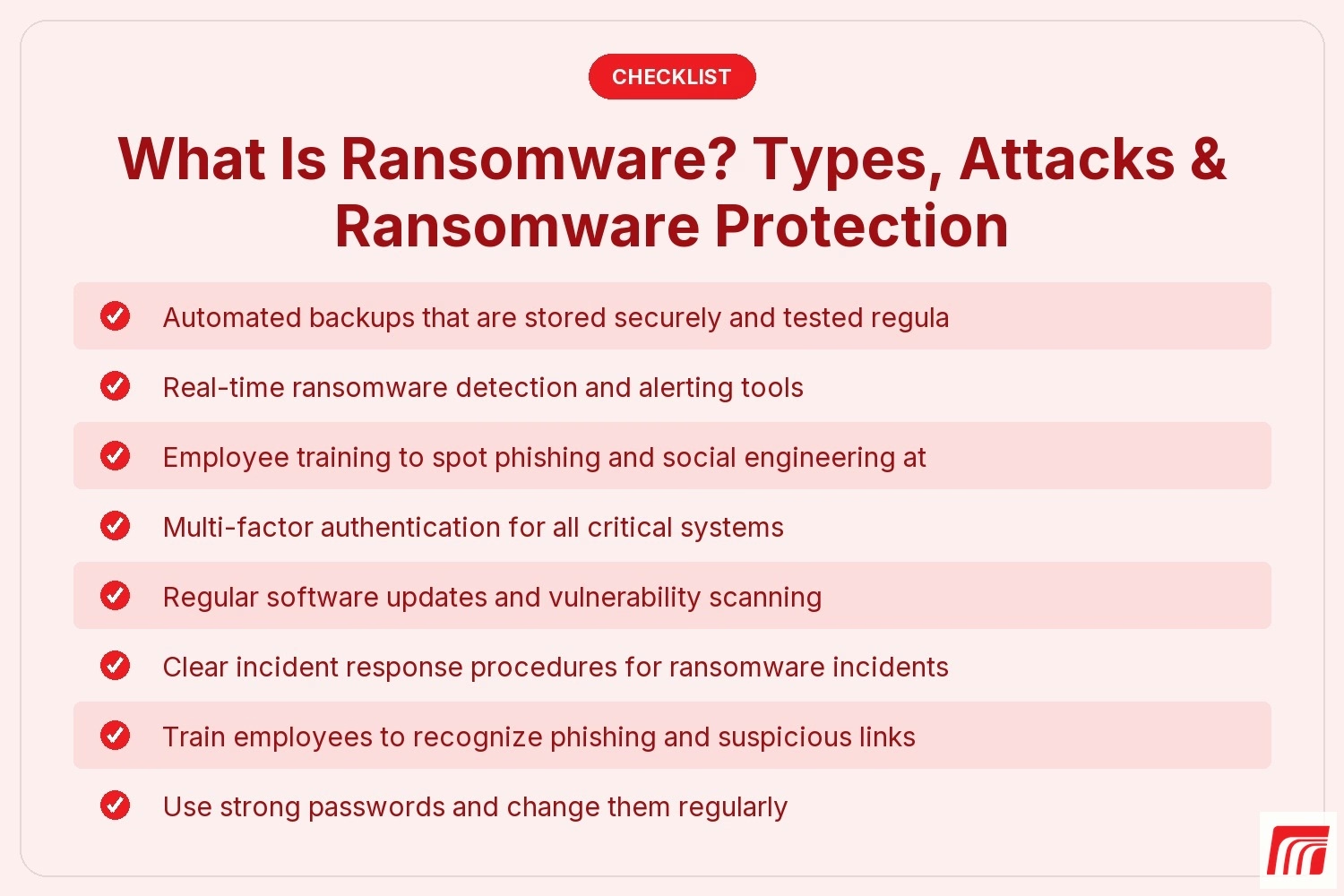
Every business should look for these key features in its ransomware defense strategy:

Ransomware works by encrypting your files and demanding payment for the decryption key. Attackers use advanced techniques to avoid detection and spread quickly across networks. Some ransomware families, like WannaCry ransomware and DarkSide ransomware, have caused major disruptions worldwide.
The reason ransomware is so effective is that it targets what businesses value most: their data. Crypto ransomware, for example, uses strong encryption to lock files, making it nearly impossible to recover without the decryption key. Ransomware groups often threaten to leak sensitive information if the ransom isn’t paid, adding more pressure on victims.
Ransomware comes in many forms, each with unique tactics. Here are the main types you should know about:
This is the most common ransomware variant. It encrypts files and demands payment for the decryption key. Examples include CryptoLocker and WannaCry ransomware.
Locker ransomware blocks access to your device or system but doesn’t encrypt files. You may see a full-screen message demanding payment to unlock your computer.
Mobile ransomware targets smartphones and tablets. It can lock your device or encrypt files, making it a growing threat as more work is done on mobile devices.
Some cyber criminals sell ransomware tools to others, making it easier for inexperienced attackers to launch ransomware attacks. This has led to more frequent and diverse ransomware incidents.
In these attacks, cyber criminals not only encrypt data but also steal it. They threaten to publish or sell the data if you don’t pay the ransom.
Fileless ransomware operates in memory and doesn’t leave traditional files behind, making detection more difficult. It often exploits vulnerabilities in legitimate software.
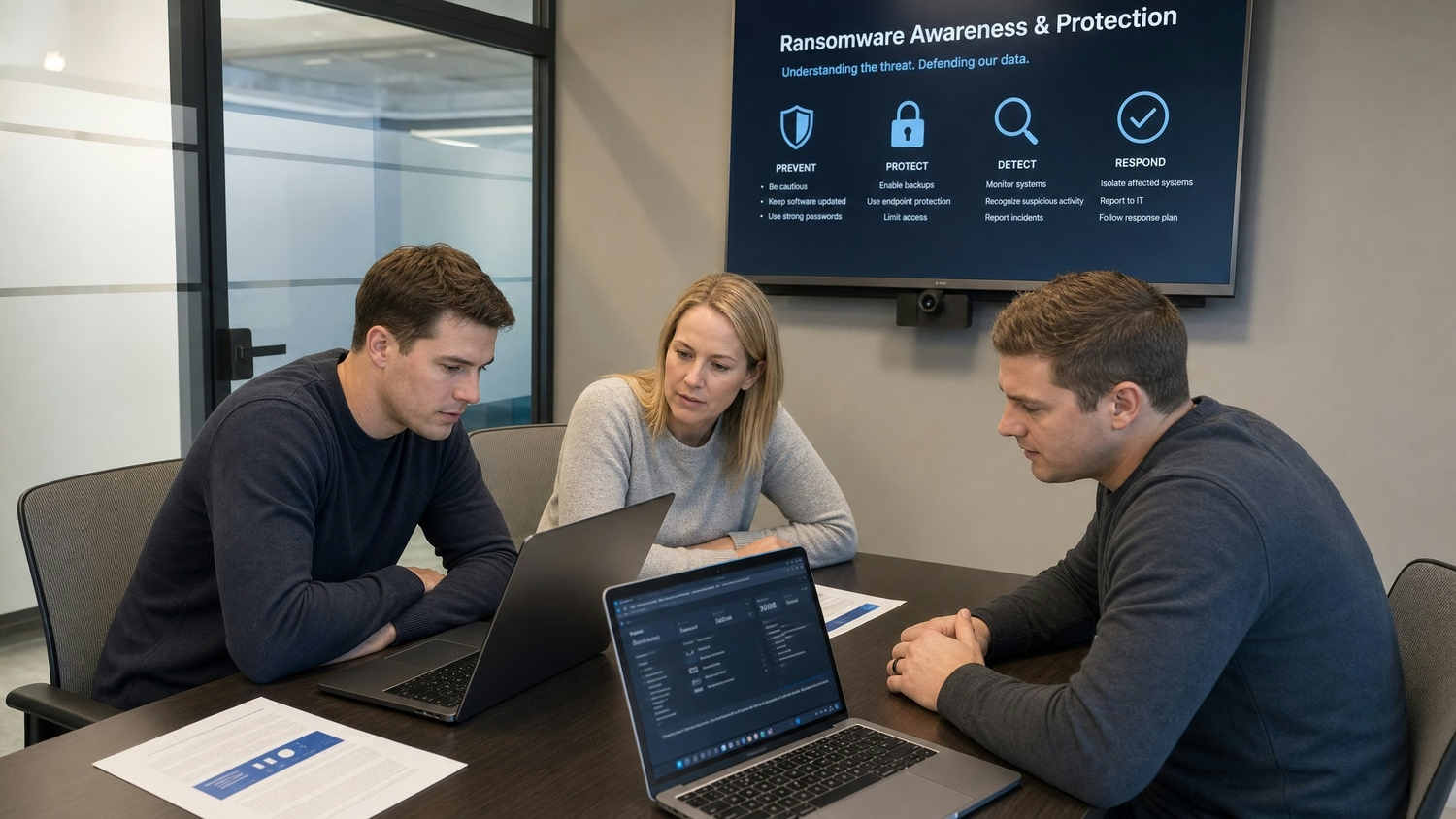
Preventing ransomware is possible with the right approach. Start by educating your team about the risks and how ransomware works. Regularly update all software and operating systems to close security gaps. Use multi-factor authentication to stop unauthorized access.
Set up automated, off-site backups and test them often. This ensures you can recover from ransomware without paying. Invest in ransomware detection tools that alert you to suspicious activity. Finally, create an incident response plan so everyone knows what to do if ransomware infects your network.
Following these best practices can help your business stay safe:
Staying proactive helps you avoid costly ransomware payments and keeps your business running smoothly.
Are you a business with 20 or more employees looking to protect your operations from ransomware? Growing companies face unique challenges, and it’s important to have reliable systems in place to defend against ransomware and other cyber threats.
We understand the risks and know how to help you prevent ransomware attacks, detect threats early, and recover from incidents quickly. Our team offers tailored ransomware protection and support so you can focus on your business. Contact us today to learn more about how we can help you stay secure.
If you experience a ransomware attack, disconnect infected devices from your network immediately to stop the spread. Notify your IT team and begin your incident response plan. Avoid paying the ransom, as it doesn’t guarantee you’ll get your data back and may encourage more attacks. Instead, focus on restoring data from backups and reporting the incident to authorities.
Identifying the type of ransomware is important for recovery. Look for ransom notes, file extensions, or messages on your screen. Some ransomware families have unique characteristics, like specific payment instructions or file changes. Use reputable ransomware detection tools to help pinpoint the exact variant and guide your response.
To protect against ransomware, use a combination of employee training, regular software updates, and strong access controls. Implement automated backups and test your recovery process. Having reliable ransomware protection in place reduces your risk and helps you recover faster if attacked.
Ransomware works by encrypting files and demanding payment for access. It often spreads through phishing emails, malicious downloads, or exploiting software vulnerabilities. Once inside, it can move quickly across your network, targeting shared drives and critical systems.
A ransomware variant is a different version of ransomware with unique features or attack methods. Understanding which variant you’re dealing with helps you respond more effectively. Some variants, like new ransomware strains, may require specific removal tools or steps.
To remove ransomware from a mobile device, start by disconnecting from the internet and running a trusted security app. In some cases, you may need to reset your device to factory settings. Always back up important data and keep your device’s software updated to prevent future infections.