.svg)



Learn what is ransomware, how ransomware works, types of ransomware attacks, ransomware protection tips, and how to prevent ransomware in your business.

June 16, 2026
.avif)
.avif)
.avif)
Phishing attacks are a growing concern for businesses of every size. If you receive a suspicious email or phishing message, it could be an attempt by an attacker to steal sensitive information or install malware. In this blog, you’ll learn how to recognize phishing emails, see real phishing email examples, and understand the types of phishing attacks targeting organizations. We’ll also cover practical steps for phishing attack prevention, including how to report phishing attempts and protect your organization from scams like spear phishing, whaling, and vishing.
A phishing attack is when someone tries to trick you into giving away personal information, like passwords or account information, by pretending to be someone you trust. These attacks often come through email, but can also appear as text messages or fake websites. Attackers use phishing to steal credentials, install ransomware, or gain access to your company’s systems.
Businesses face serious risks from phishing scams. Even a single successful phishing attempt can lead to data breaches, financial loss, or damage to your reputation. That’s why understanding how phishing works and how to spot a phishing message is essential for every employee.
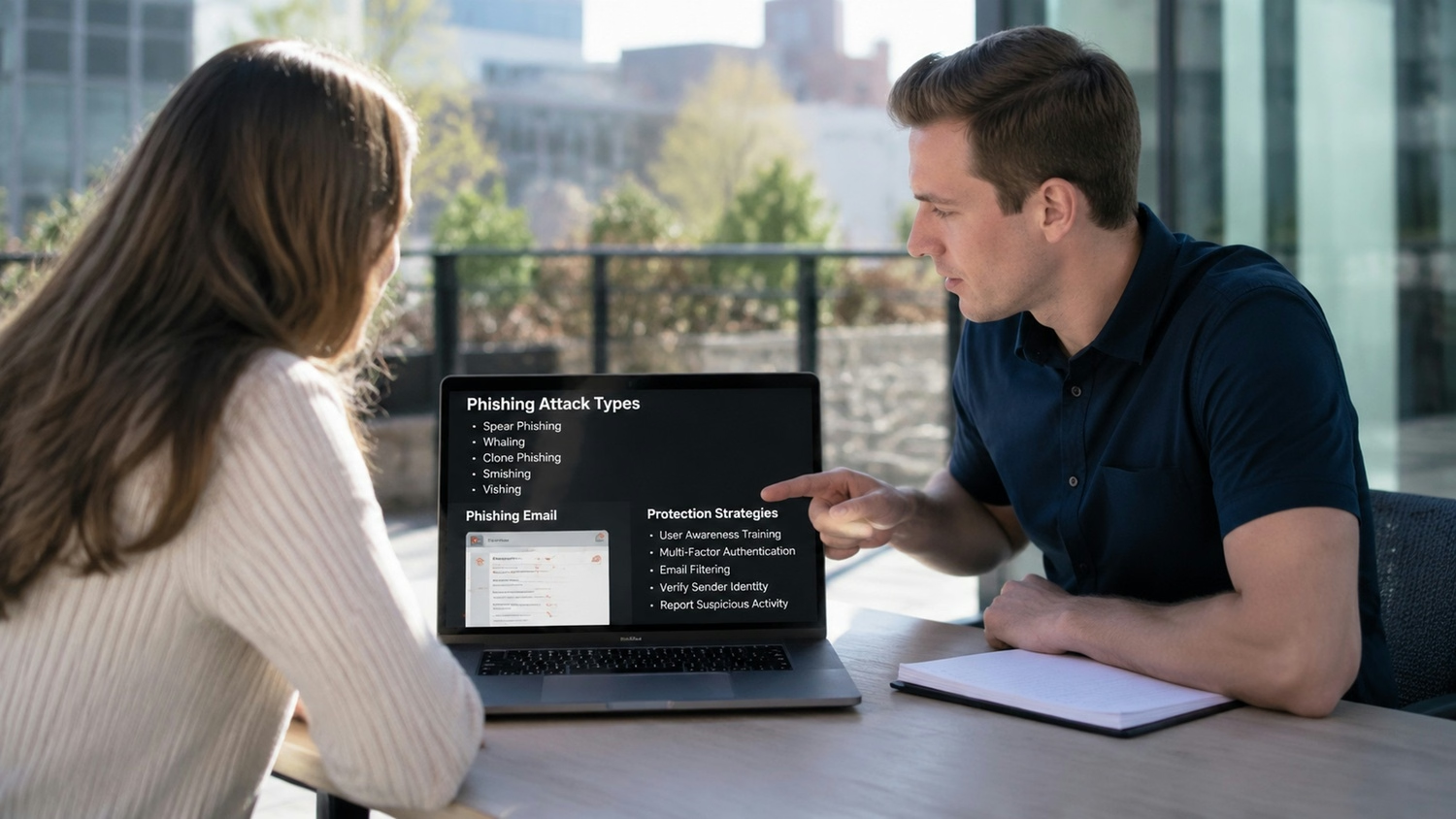
Phishing attacks come in many forms, and knowing the differences can help you stay safe. Here are some of the most common types you’ll encounter:
Spear phishing targets specific people or departments within a company. Attackers research their victims and send personalized emails that look real. These emails often ask for sensitive information or try to trick you into clicking a malicious link or downloading an attachment. Because they seem so convincing, spear phishing attacks are harder to spot than general spam.
Whaling attacks focus on high-level executives or decision-makers. The goal is to steal important company data or authorize fraudulent transactions. Whaling emails often use official language and may reference real business details to appear legitimate. If you receive an unexpected request from a company leader, always double-check before responding.
Vishing is phishing done over the phone. Attackers call pretending to be from your IT department, bank, or another trusted source. They might ask you to provide your password or other sensitive information. Vishing scams can be very convincing, especially if the caller uses information found online.
Email phishing is the most common type. Attackers send out mass emails hoping someone will click a link or download a file. These emails often contain grammatical errors, urgent messages, or fake sender addresses. Always be careful with unexpected emails, especially those asking for personal information.
SMS phishing, or "smishing," uses text messages to trick you into clicking a link or sharing information. These messages might claim you’ve won a prize or need to verify your account. Like email phishing, smishing can lead to malware or stolen credentials.
Some phishing attacks use fake websites that look like real login pages. If you enter your username and password, the attacker steals your information. Always check the domain name and look for signs of phishing before entering any details.
Attackers may send phishing messages through social media platforms. These messages often come from hacked accounts or fake profiles. Be cautious about clicking links or sharing information, even with people you know.
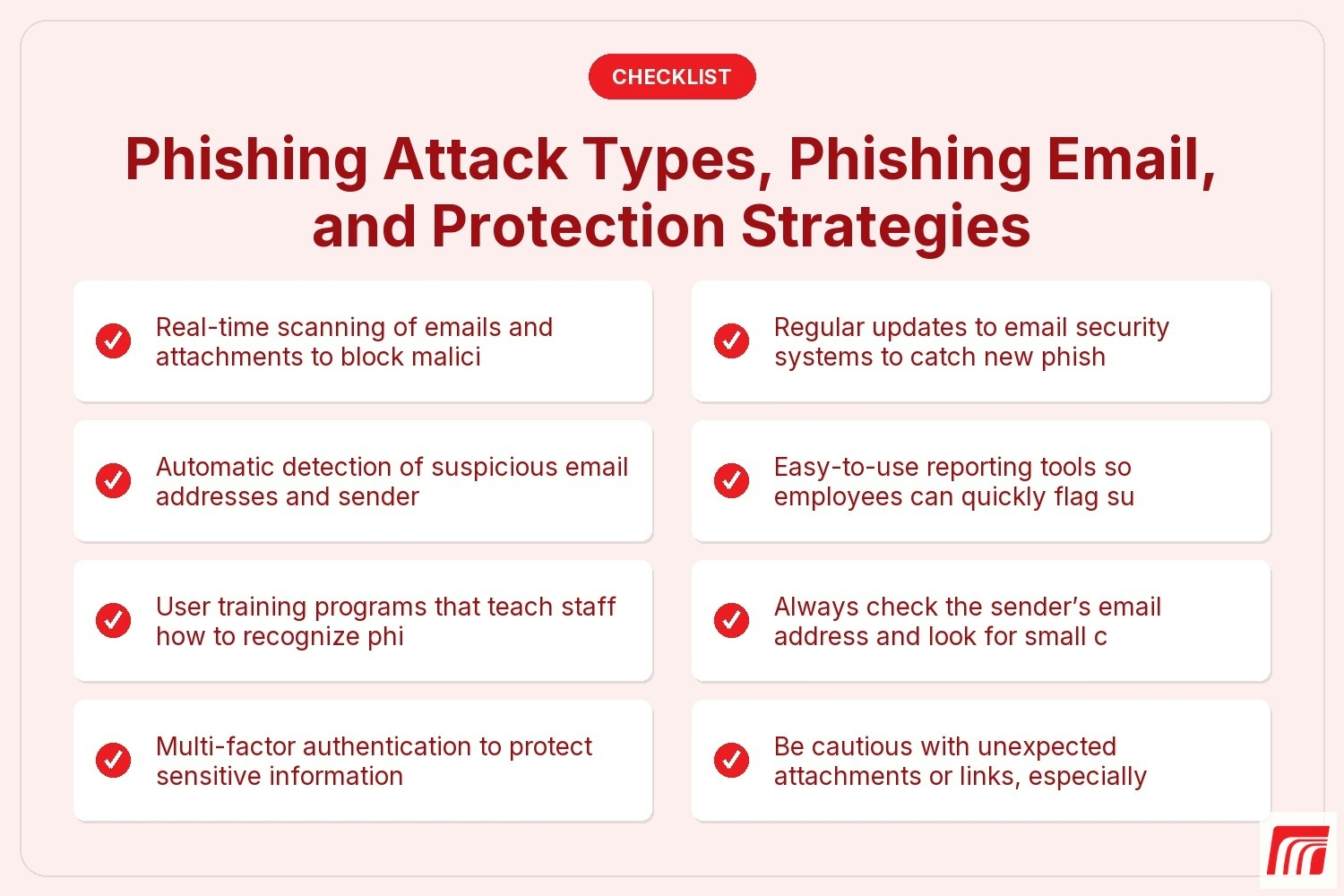
To keep your business safe, look for these important features in any phishing protection strategy:

Attackers are always finding new ways to trick people. Modern phishing techniques use social engineering, fake websites, and even AI to create more convincing scams. Some attackers spoof real email addresses or use lookalike domain names to fool recipients. Others send phishing emails that appear to come from trusted senders but contain hidden malware or links to malicious websites.
Businesses need to stay alert because phishing attacks are becoming more targeted and harder to spot. Even experienced users can fall for a well-crafted phishing message. That’s why ongoing training and updated security systems are so important for protecting your organization.
Protecting your business from phishing requires a mix of technology and smart habits. Here are some key steps you can take:
Regular training helps employees recognize phishing email examples and understand how to report phishing attempts. Make sure everyone knows the signs of phishing and what to do if they spot a suspicious email.
Modern email security systems can filter out spam, block malicious attachments, and flag suspicious senders. These tools reduce the risk of a phishing attack reaching your inbox.
Multi-factor authentication adds an extra layer of protection. Even if an attacker steals a password, they won’t be able to access your accounts without a second verification step.
Simulated phishing tests help you see how well your team can spot real threats. These tests provide valuable feedback and highlight areas for improvement.
Outdated software can have vulnerabilities that attackers exploit. Regular updates help close security gaps and protect against malware and ransomware.
Not everyone needs access to all company data. Restricting access helps prevent damage if someone falls for a phishing scam.
If a phishing attempt is successful, quick action can limit the damage. Have a clear plan for reporting, investigating, and responding to phishing incidents.

Preventing phishing attacks is an ongoing process. Start by creating clear policies for handling emails, attachments, and links. Encourage employees to double-check sender addresses and watch for grammatical errors or suspicious requests. Use reliable systems for email filtering and malware detection.
It’s also important to have a process for reporting phishing attempts. Make it easy for employees to flag suspicious messages, and respond quickly when a threat is reported. Regularly review your security settings and update them as needed. By staying proactive, you can reduce the risk of falling victim to a phishing scam.
Spotting phishing attacks takes practice and attention to detail. Here are some best practices to follow:
Following these steps helps protect your organization and keep your data safe.
Are you the average of 20 or more employees looking for reliable phishing protection? If your business is growing, it’s crucial to stay ahead of evolving phishing scams and protect your sensitive information from attackers.
We understand the risks that phishing attacks pose to your organization. Our team at MBPS offers advanced email security, ongoing training, and practical solutions to help you defend against phishing attempts. Contact us today to learn how we can help safeguard your business.
Common signs include suspicious email addresses, urgent requests for personal information, and grammatical errors in the message. If you notice a sender using a domain name that doesn’t match the company or see unexpected attachments, be cautious. Always double-check before clicking links or providing sensitive information.
Phishing attacks often use fake websites or spoofed sender addresses to trick recipients. If you receive a message that seems off, report phishing attempts to your IT team right away. Staying alert helps protect your account information and keeps your organization safe.
Phishing email examples often include requests for passwords or sensitive information, unexpected attachments, or links to malicious websites. Look for emails that use urgent language or claim there’s a problem with your account.
Attackers may also use personal information found online to make phishing messages seem more convincing. Always check the sender’s email address and watch for grammatical errors or unusual requests. If something feels wrong, don’t respond and report the email.
There are several types of phishing attacks, including spear phishing, whaling, vishing, and smishing. Each uses different techniques to trick recipients into sharing information or clicking on malicious links.
Some attacks target specific people, while others are sent to many recipients at once. Understanding the various types of phishing attacks helps you spot threats and protect your organization from scams and malware.
To defend against phishing attacks, use strong email security systems and train employees to recognize suspicious emails. Encourage staff to report phishing attempts right away.
Regularly update software and limit access to sensitive information. Multi-factor authentication adds another layer of protection, making it harder for attackers to access your accounts even if they steal a password.
Phishing protection is essential because a single successful attack can lead to data breaches, financial loss, or ransomware infections. Protecting your business keeps your personal information and company data safe.
Reliable systems, regular training, and clear reporting processes help reduce the risk of falling victim to phishing scams. Investing in phishing protection is a smart way to safeguard your organization’s reputation and assets.
If you suspect a phishing scam, do not click any links or download attachments from the suspicious email. Report phishing attempts to your IT team immediately.
Change your password if you think your account information may have been compromised. Quick action helps prevent attackers from gaining access to sensitive information and limits potential damage to your organization.